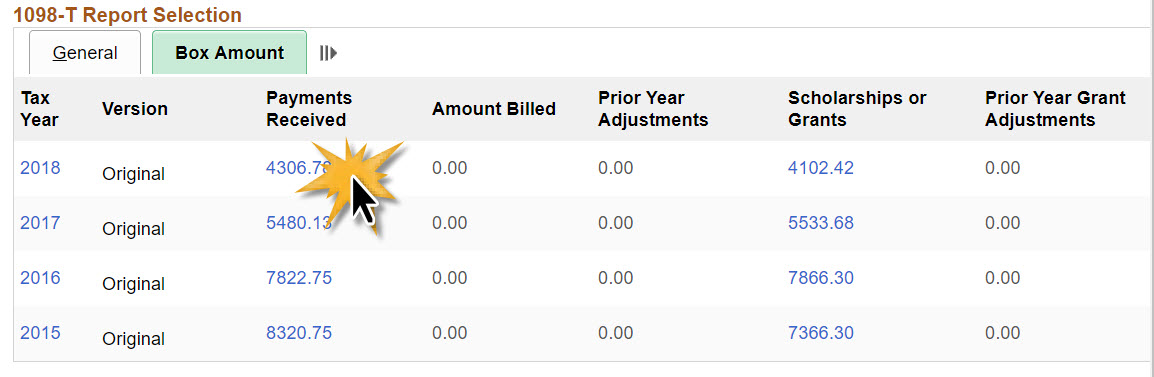
You can retrieve specific details related to the boxes on your 1098-T by retrieving your form through MyFSU. You will be required to login to the MyFSU system.
If you can't remember your username or password, reach out to the Information Technology Service Desk at 850.644.4357.
Desk Hours are Monday – Friday 8:00 AM – 6:00 PM ET.
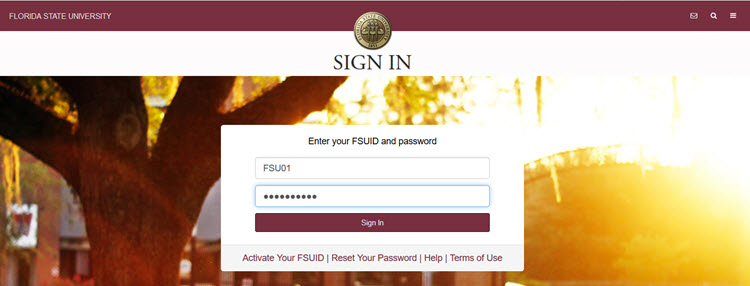
Step 1: Login to MyFSU
- Login to https://my.fsu.edu using your FSU ID and password.
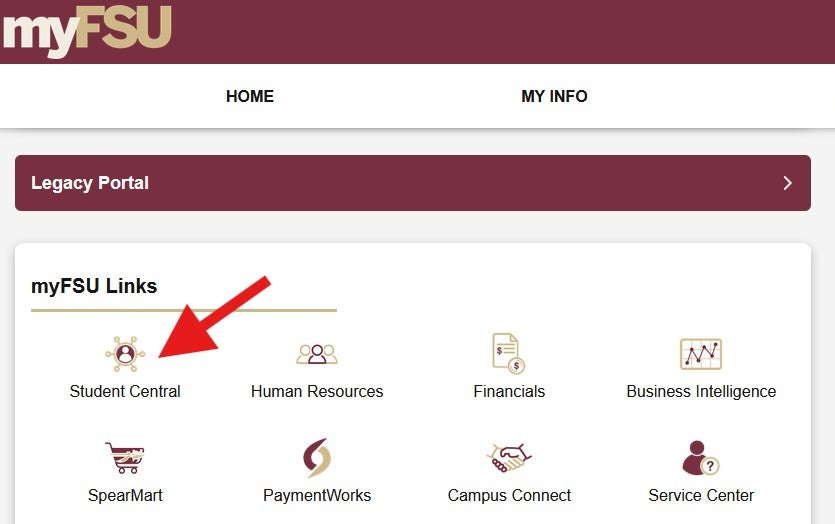
Step 2: Click "SC"
- Click the "Student Central" icon to enter the student dashboard.
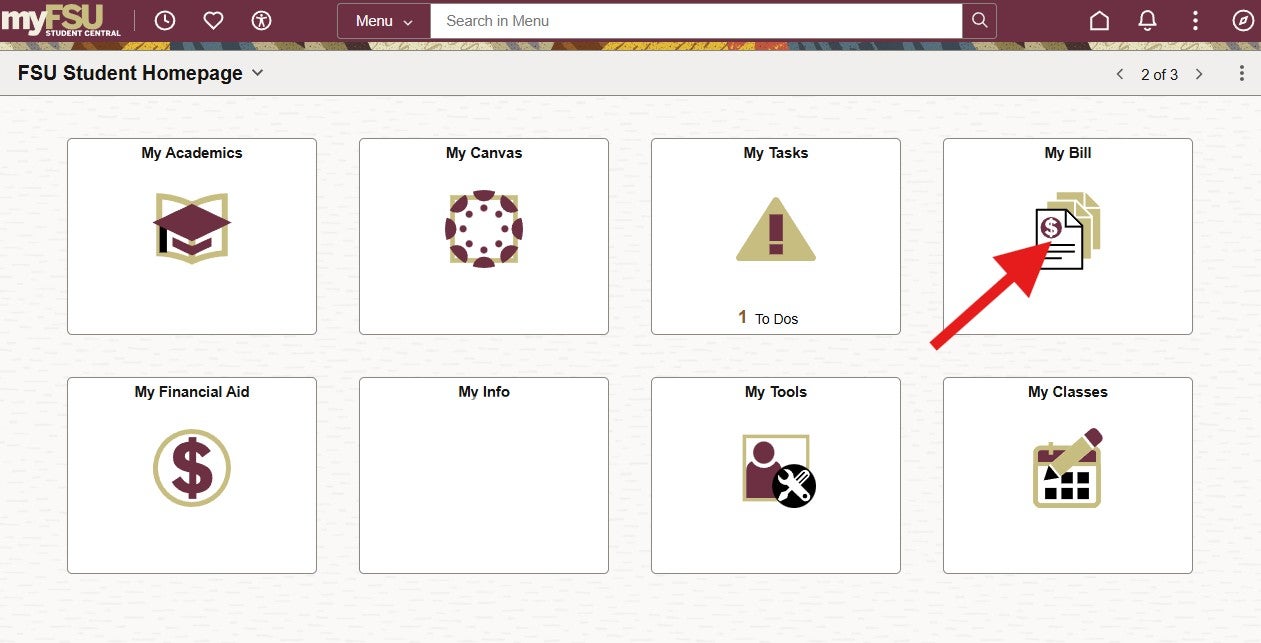
Step 3: Click on "My Bill"
- When you enter Student Central, you may need to swap your persona at the top right side of the screen to move between Student (if you are looking for your own 1098-T) and Delegate (if you are looking for someone else's).
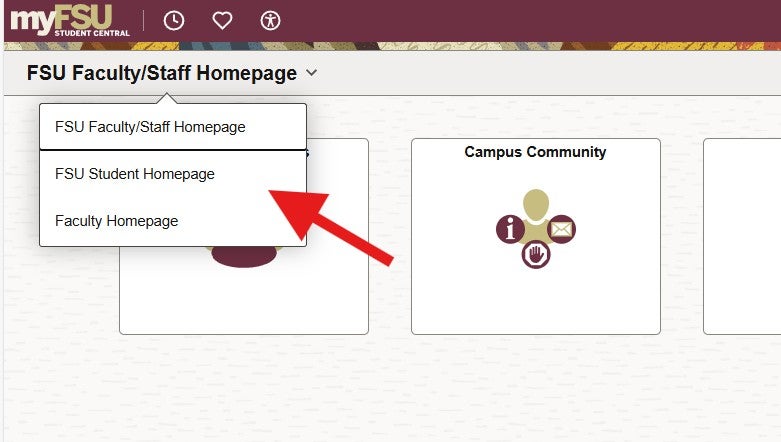
- On your "FSU Student Homepage", click on "My Bill".
- Protip: If you are a faculty or staff member, you'll land on the FSU Faculty/Staff Homepage when you click on "SC". You'll need to click on the drop down arrow at the top of the page and choose "FSU Student Homepage".
Step 4: Choose Your Tax Year
- Click on "Account Services" and then "View 1098-T" to access your 1098-T by year. Select the year you'd like to view to download the form.
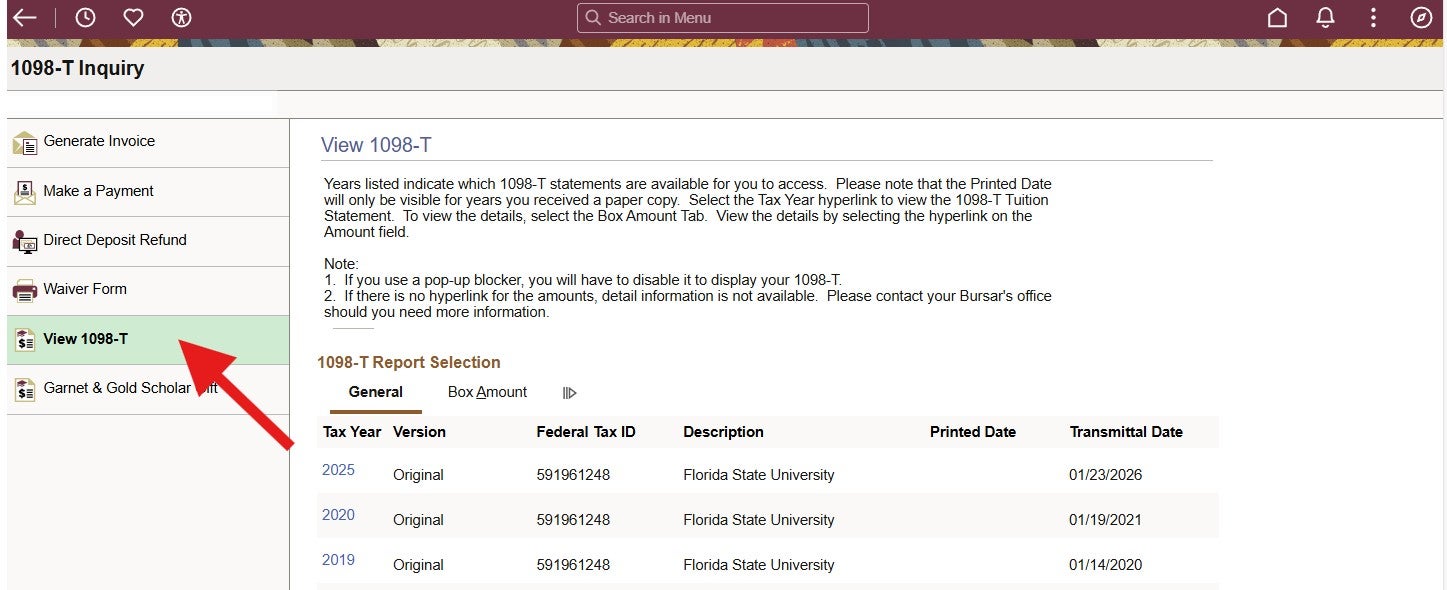
- Your tax form is going to open in a new tab or pop-up window, so pay attention to your browser's warnings and make sure that you authorize the new tab or pop-up!

Step 5: Verify The Data
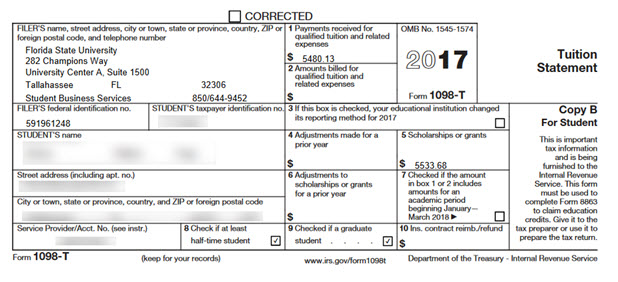
- Make sure that you're looking at the right tax year and validate that the data on the form matches your expectations!
Step 6: View Detail Data
- To view the details behind each of the boxes on your 1098-T, head back to the 1098-T Tax Form tab from Step 4 and click on "Box Amount". You'll see each of your box amounts as hyperlinks that can be clicked for more information.